
CrossCraze Pro
ORT SoftwareWord
4.9348.00 Reviews
- Version
- 4.06-PRO
- Installs
- 10.00K
- Age Rating
- Everyone
Screenshots
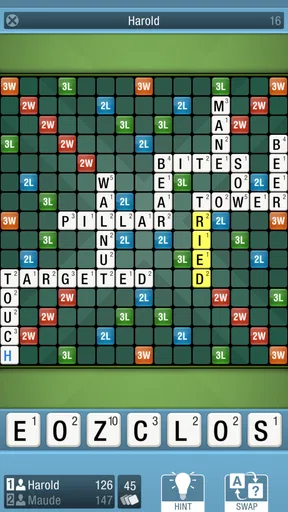
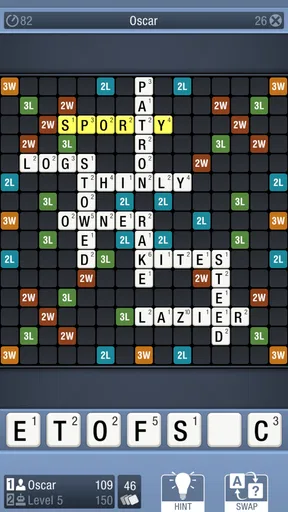
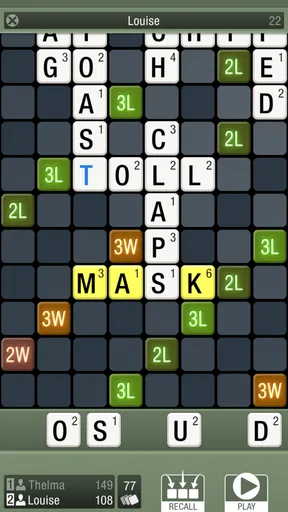
Our Review of CrossCraze Pro
 Analysis by Appyee
Word games are easy to pick up and surprisingly easy to turn into a household ritual: one person starts a match, someone else notices the board, and suddenly a quiet break becomes a friendly contest. That shared-device setting is where CrossCraze Pro makes the most sense to me. It is a tile-based word game from ORT Software, built for solo play or a game with a friend, and its offline focus means a match can fit into a living room, a waiting room, or a trip without relying on a steady connection.
A match that fits around ordinary routines
I can picture keeping a game open for a relaxed turn-taking session after dinner, with two people looking at the same board and weighing whether to play a safe word or chase a more ambitious placement. It is a better fit for that kind of unhurried interaction than a fast quiz or a game that expects everyone to be online at once. You can also use solo play for a short mental workout while waiting for an appointment, then switch to a friend when someone nearby wants in.
The shared board creates a useful social balance: players can discuss a move, or keep their plans private until they place a tile. If you are playing with children or a less experienced adult, talking through a possible word can make the match feel welcoming rather than like a test. For a more competitive household, I would agree on whether hints and word lookups are fair before starting; otherwise, one player may treat the tool as a learning aid while another sees it as help that changes the contest.
Shared device, clear boundaries
Because the game supports offline play and a friend match, it can work well on a device passed between people. The practical trade-off is that everyone should be clear about whose turn it is and whether the device is being used for a shared game or individual practice. I would avoid assuming that a shared-device match automatically provides separate personal spaces or household account controls. Treat it as a game you coordinate together, not as a family-management tool.
That boundary matters if different people want different difficulty settings, languages, or board choices. A quick agreement before a match prevents one player from changing the experience for everyone halfway through. If each person wants a private record of their own practice or a separate profile, I would check the current app options first rather than relying on a shared installation to keep preferences distinct.
Game Mechanics and Features
At its core, CrossCraze Pro is a strategic word game that allows you to play against the computer or a friend. The game supports both single-player and multiplayer modes, which is perfect for those days when you're feeling competitive or just want to relax and play solo.
One of the standout features is the game's AI. It's not just a walk in the park; the AI offers multiple difficulty levels. Whether you're a beginner or a seasoned pro, there's a level that will challenge you. I found the "Genius" level particularly tricky, and it really pushed me to think strategically about my word placements.
Customization Galore
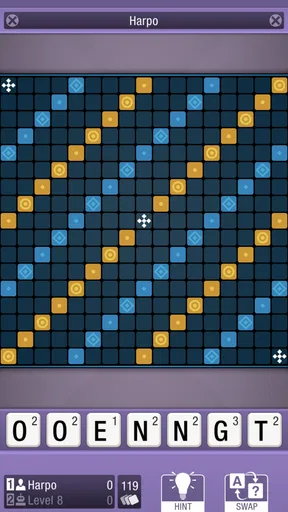
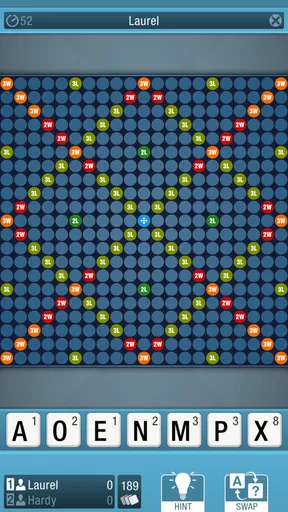
If you're someone who appreciates a personalized gaming experience, you'll love the customization options. You can choose from a variety of board layouts and tile styles, which keeps the game visually interesting. Plus, there’s an option to play in different languages, which is a neat way to learn new words or challenge yourself in a language you're trying to master.
A practical way to use the language choice is to treat it as a deliberate change of pace, not just a cosmetic switch. Playing in a language you are learning can reveal where your vocabulary is thin, while returning to a familiar language keeps the focus on planning. I would still set a shared household match to a language everyone understands; otherwise, a player may be unable to judge a word or follow the discussion around a move.
Another cool feature is the "Tile Stacking" option. This allows you to stack tiles on existing letters to create new words, adding a layer of strategy that I haven't found in other word games. It's a game-changer, literally!
User Interface and Experience
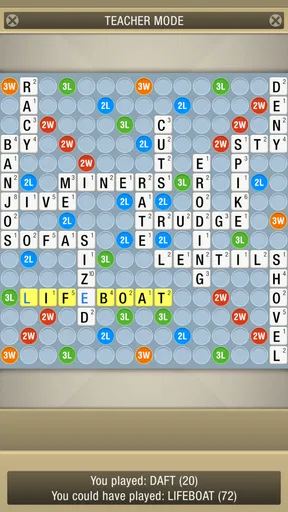
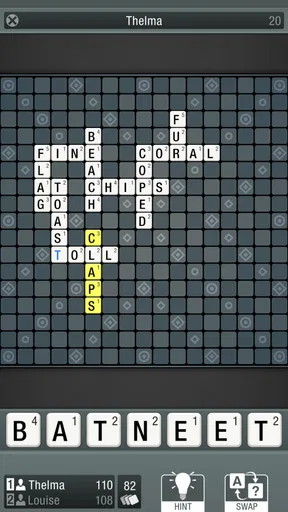
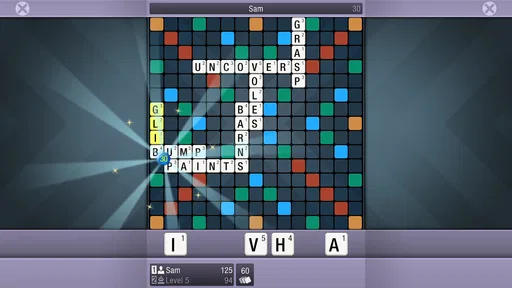
The interface is clean and intuitive. The developers did a great job of making sure everything is easy to find and use. I especially appreciated the tutorial mode, which is super helpful if you're new to the game. The graphics are crisp, and the animations are smooth, making for a pleasant gaming experience.
That tutorial is particularly useful before handing the device to someone new: a quick introduction helps prevent an experienced player from having to explain every interaction mid-match. The game’s clear presentation also suits players who prefer to concentrate on the board instead of navigating a complicated interface. Still, anyone who strongly favors a modern, highly animated presentation may find the straightforward style less exciting than games designed around spectacle.
One thing I noticed is how responsive the app is. There are no noticeable lags or crashes, which is always a plus in my book. The app also features a handy "Word Lookup" tool, so if you're ever stuck or curious, you can quickly get the definition of any word you've played.
Word Lookup is most valuable when the goal is learning rather than winning at all costs. I would use it after a move, or once a match is over, to explore an unfamiliar word without slowing down the other player. In a competitive game, agree on a lookup rule first: allowing definitions during play can help everyone learn, but it can also interrupt the rhythm and influence decisions. That small bit of coordination makes the feature feel useful instead of contentious.
Age, trust, and the right expectations
The game carries an Everyone age rating, so it is presented as suitable for a broad audience. In my view, that makes it a reasonable choice for mixed-age play when the group already enjoys spelling and taking turns. The age label is not a promise that every word will be familiar to every player, though; vocabulary varies with age, reading experience, and the chosen language. For younger players, I would keep the mood collaborative and use the dictionary as a chance to explain words rather than as a way to catch someone out.
It is also worth separating the game’s learning value from formal teaching. Trying different words and checking meanings can make vocabulary practice enjoyable, but I would not treat a match as a structured lesson or assume that every language setting suits a learner’s level. The game works best when players are comfortable asking what a word means and when the stronger player is willing to explain rather than simply optimize every turn.
For adults who want a private solo challenge, the computer opponent is the more convenient alternative to arranging a live match. For two people in the same room, the friend mode is a more direct fit than a typical online word game built around remote opponents or notifications. If you mainly want quick clues, word puzzles with fixed answers may be a better choice; this game asks you to build words on a shared board and think about placement, so it rewards planning as well as vocabulary.
What Makes It Stand Out?
So, you might be wondering, "What sets CrossCraze Pro apart from similar games?" Well, it's the combination of strategic depth and a user-friendly interface. The ability to play offline is a huge bonus, especially if you’re often on the move or in places with spotty internet connection.
Offline play is also handy when a household wants screen time without making a match depend on network access. It does not remove the need to agree on turns or settings when one device is shared, but it does make the game easier to bring along and start. That distinction is useful: the convenience is about access to a match, not about automatically coordinating several people’s schedules or keeping separate personal game spaces.
Additionally, the app is ad-free, which is a blessing in disguise. You can fully immerse yourself in the game without annoying interruptions. This is something I value highly, as it keeps the focus on the gameplay.
Price, version, and who should choose it
CrossCraze Pro costs $6.99, so I would think of it as a paid, focused game rather than a free title to sample casually. Its current version is 4.06-PRO, and it requires Android 6.0 or later. The game has a 4.9 average from around 1.7 thousand ratings, with about 342 written reviews and over 10 thousand installs. Those figures suggest that it has found an audience, but I would still judge it by whether its particular style suits your household.
I would recommend it to people who enjoy spelling, deliberate board choices, and a game that can move between solo practice and a local friend match. It is especially appealing if you value offline access, adjustable challenge, language options, and a calmer pace. I would skip it if you want a free-to-play option, a stream of rapid rounds, or a word game centered on remote matchmaking and social features. Paying for a traditional, focused word-board experience only makes sense if you expect to return to it.
Before buying, I would ask one practical question: will you mostly play alone, or do you have someone nearby who will actually share matches? Solo play gives the purchase a clear use even when schedules do not line up, while the friend mode becomes a bonus when another person is around. If several people use one device, decide who chooses the language and difficulty before the first match, and settle how to handle lookups. These small agreements prevent the game’s flexibility from turning into a disagreement.
Final Thoughts
Overall, I highly recommend CrossCraze Pro to anyone who loves word games. It's a polished, engaging, and challenging app that will keep you entertained for hours. Whether you're playing against friends or challenging the AI, there's always room for improvement and fun.
If you're ready to test your vocabulary and strategic thinking, give CrossCraze Pro a try. You won't be disappointed!
My household verdict is that this is a good choice for people who want a shared, low-pressure word game and are happy to make their own simple rules around turns, hints, and settings. It can serve as a solo challenge when nobody else is free, then become a face-to-face activity when company is around. I would not choose it as a substitute for a family account system, a remote social network, or a lesson plan. But for a household that likes language and thoughtful competition, its offline convenience and flexible play styles give it a clear, practical place.
Verdict
Strengths of CrossCraze Pro
- Wide range of word challenges.
- Offline play mode available.
- Customizable board settings.
- Supports multiple languages.
- No ads to interrupt gameplay.
Limitations of CrossCraze Pro
- Limited multiplayer options.
- No daily puzzles or challenges.
- Graphics feel outdated.
- No progress tracking feature.
- Initial learning curve for newbies.
Similar Picks in This Category
View All
Word Search - Word Puzzle Game
Bluetile4.8

Word Search Quest - Puzzles
Blackout Lab4.8

CodyCross: Crossword Puzzles
Fanatee, Inc.4.7

Words of Wonders: Crossword
Fugo Games4.9

Wordscapes: Word puzzle game
PeopleFun4.7

Word Search Explorer
PlaySimple Games4.9
Frequently Asked Questions
What is CrossCraze Pro and how does it differ from other word games?
CrossCraze Pro is a classic crossword puzzle game that allows players to challenge their vocabulary and strategic skills. Unlike other word games, CrossCraze Pro offers multiple board layouts and an extensive dictionary, making each game unique. It also supports offline play, so you can enjoy it without needing an internet connection.
Is CrossCraze Pro suitable for all ages and skill levels?
Yes, CrossCraze Pro is designed to be accessible for players of all ages and skill levels. It features adjustable difficulty settings, allowing both beginners and seasoned players to enjoy the game. Additionally, the game includes hints and tips for those who wish to improve their word-building strategies.
Does CrossCraze Pro offer multiplayer options?
CrossCraze Pro offers both solo and local multiplayer modes. While it does not support online multiplayer, it allows players to compete against friends on the same device. This feature makes it perfect for family gatherings or casual play with friends, fostering a fun and competitive atmosphere.
What languages does CrossCraze Pro support?
CrossCraze Pro supports multiple languages, making it a versatile choice for players worldwide. The game includes dictionaries for languages such as English, French, German, Spanish, and more. This multilingual support ensures that players can enjoy the game in their preferred language, enhancing the overall experience.
Are there any in-app purchases or ads in CrossCraze Pro?
CrossCraze Pro is a premium app, which means it is ad-free and does not include in-app purchases. Once purchased, players can enjoy the full features of the game without any interruptions or additional costs. This makes it a great option for those who prefer an uninterrupted gaming experience.
Play our best games!


